Dad of Divas' Reviews: software
Showing posts with label software. Show all posts

Thursday, December 18, 2014

2 Gecko Monitoring Software Lets You Monitor With Ease #Giveaway


2 Gecko Monitoring Software
 photo disclaimer2_zps8af35ac1.jpg

About the Software
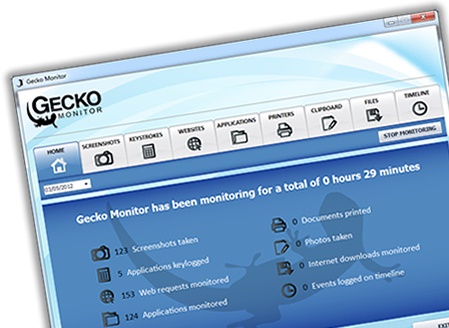
Gecko Monitor is the complete solution to monitoring everything that happens on your computer while you’re away. Perfect for parents who want to monitor their childs computer or bosses who want to monitor their employees computers - Gecko Monitor has everything you’ll need to give you peace of mind!

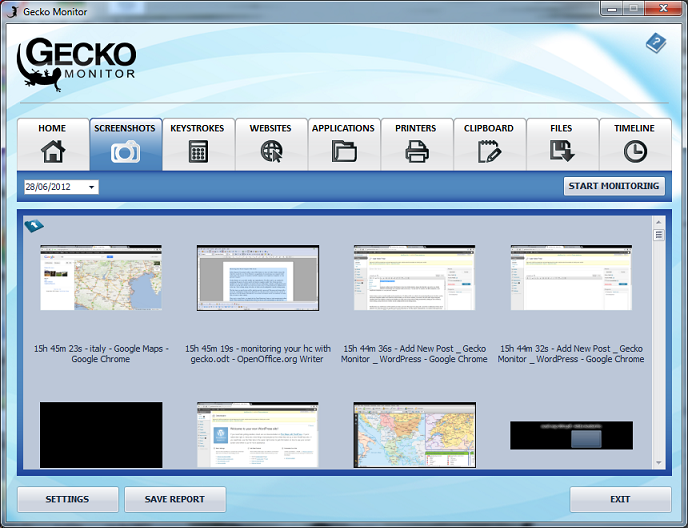
Combining powerful monitoring tools and stealth, Gecko Monitor has a number of great features including the ability to monitor every website visited, every program used and every keystroke pressed - as well as taking screenshots of everything that happens on screen.

2 Gecko Monitoring Software
The more advanced features of Gecko Monitor make this software the most advanced, all in one, computer monitoring solution on the market, why not download our free trial and see for yourself?


  • Takes screenshots of all windows & websites.
  • Logs every application used and tells you when it was used.
  • Logs every website visited and tells you when it was visited.
  • Reports what was typed into every application & website.
  • Monitors all printed documents, including times printed.
  • Emails reports to you remotely & secretly, at times set by you.
  • Innovative timeline feature - an easy to understand timeline of events.
  • Monitors all file activity, including saved, opened & deleted files.
  • Does all of this completely hidden, un-hides with a secret key combo.


My Take on the Software
I have been using this for quite some time now and have been impressed with how well this does monitor the actions on the computer that you monitor. This is great for parents that are trying to keep track of what their kids are looking at, but it also will log every action that you make too, so be aware. It tracks quite well and the reports that are emailed are informative. I love having the ability to see and track the movements of my kids while they are at such a formative age as it allows me to be able to then have conversations with them about what is or is not appropriate and been an informed parent.

Giveaway
2 Gecko Monitoring Software


----------------------------------------
New to the Divadom or to Dad of Divas Reviews?
Please Subscribe to my RSS Feed! Subscribe in a reader
Questions? Drop me a line at dadofdivas@gmail.com

Monday, November 12, 2012

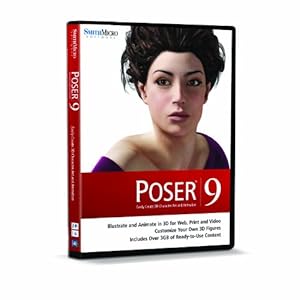
Software Review - Poser 9

About the Software
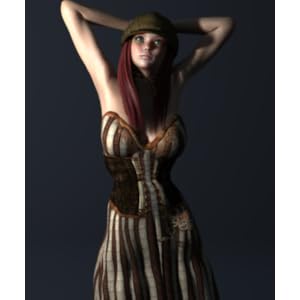
Poser 9 is the world’s easiest way to create art and animation using 3D characters. Poser’s simple to learn tools and included characters let you focus on making art, whether you’re a professional artist or dabbling in graphics for the very first time. Poser includes over 3 gigabyte of ready-to-pose, fully textured, human and animal figures, basic accessories such as hair, clothing, pose sets, real world props and 3D scene elements. With Poser 9 you can start creating 3D character art and animation in minutes. With the Face Room, customize Poser characters using facial photographs. Add dynamic hair and clothing. Build a3D scene on Poser’s virtual stage with props, lights and cameras. Automatically generate walking or running animations and talking characters. Import motion capture files for even more animated realism. Animate lights and cameras, and then render scenes into photorealistic images and video for web, print, and film projects.

Along with 8 brand new 3D humans, Poser 9 includes an improved user interface to maximize your workspace while providing better workflow, a new search-enabled library so you can find, organize and use your content easier, a dependent parameter tool that lets you teach objects in the scene to interact with each other, cross body morph brushes to smoothly sculpt a figure across every body part, new photorealistic rendering features that more accurately reproduce light and shadows, and improved character rigging for even better character bending. To save time, Poser 9 has been performance optimized so you can pose your characters and render them faster on today’s multiple processor systems.

Poser 9 includes advanced Weight Map Rig support to generate better performing 3D characters that can be more easily posed with natural joints across the body. Hybrid Rigging supports both traditional Poser Sphere and Capsule zones to be used in combination. Poser 9 also supports both traditional grouped body part figures and single mesh figures. Weight Map Support for third party figures is delivered within our native poser file format, the PZ3, an open, well documented format that has been at the heart of the creative Poser community for over 15 years.

Poser 9’s improved Firefly render engine now supports Indirect Lighting with Irradiance Caching for Global Illumination effects and even supports rendering with Ambient Occlusion. New Shader nodes enable SubSurface Scattering for luminescent skin tones, FastScattering for bioluminescent effects and a Tri-specular Hair Shader for more appealing trans-mapped hair highlights. Poser’s physically correct light fall-off produces more photo-real final renderings. Even share final content via Facebook with our direct upload to your Poser gallery.

Other new features include multi-select drag and drop from Poser’s Library, Expanded Context Menus for better workflow, new camera modes to focus on your selected area, pressure sensitive tablet support in the Morph Brush, improved Content Management system with drag and drop, auto conforming, search, meta data support, zone strength display for figure rigging, parameter change indicator and the Recent Render palette.

Whether you’re a serious artist, illustrator or animator or simply dream of playing with 3D characters, you’ll love getting creative with Poser 9!

Product Features

  • Get Started Fast - Drag and drop characters and props right onto Poser's virtual stage to create 3D scenes, add lights and cameras, then render away! 
  • Customize Characters - Start with one of the many included ready-to-pose 3D characters and customize them using your photos or hundreds of face shaping morphs to produce unique characters in minutes. 
  • Rendering Styles - Poser's powerful rendering engine will transform any 3D scene you've created into photorealistic, cartoon or sketch style images and animations. 
  • Animate Easily - Poser's key-frame animation tools make it easy to transition between poses, or make a character walk or talk, throw a ball or even dance. 
  • 3D Characters for Any Project - Create art or animation for graphic design, web, fine art and illustration projects. From comic books and animated shorts to architectural and industrial design, Poser adds character.
My Take on the Software
I had never used this software before, now am I a animation expert, but this program was so much fun and the graphics and the things that it allows you to do with the things that you create is simply remarkable! It did take me a little while to get used to the controls and the program altogether, but once I did I was able to have some amazing fun! My daughter is the artist in the family and I am working to try and teach her how to use the program (as she is only 8), it is a bit slow, but once she does get the hang of this I know that she will love it as well! If you are into art, cartooning or animation this software is one that I would highly recommend as you will be amazed at what it can allow you to do!

All opinions expressed in this review are my own and not influenced in any way by the company.  Any product claim, statistic, quote or other representation about a product or service should be verified with the manufacturer or provider. Please refer to this site's Disclaimer  for more information. I have been compensated or given a product free of charge, but that does not impact my views or opinions.

-------------------------------------------------------------------------
New to the Divadom or to Dad of Divas Reviews?
Please Subscribe to my RSS Feed! Subscribe in a reader
Questions?Drop me a line at dadofdivas@gmail.com

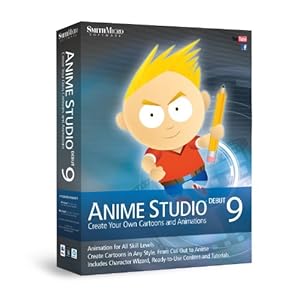
Software Review - Anime Studio Debut 9

About the Software

Everything you need to get started with 2-D animation

Anime Studio Debut is fun, easy, and exciting. It's a great tool for artistic expression and ideal for any age group. This entry-level animation software program is powerful yet affordable. You won't find your ideas or projects limited by the features of the software. Detailed video tutorials make learning the tools a snap, and pre-made content and characters help you get started right away.


Character Wizard Brand New Content
Hundreds of new characters. Quickly design ready-to-animate characters using the built-in Character Wizard. Select preset, dial-in body proportions, and choose from dozens of predesigned 2-D components such as hands, feet, mouths, eyes, noses, and heads.

Beginner's Mode
Start animating right away by choosing Beginner's Mode. Get exactly the help you need for each tool or feature with automatic roll over tips and built-in tutorials and sample files. You don't even have to leave the application to watch a video tutorial.


Rigging Your Characters Using Bones Makes Animating Easy
Bone-rigging is a fast and efficient alternative to tedious frame-by-frame animation. Add a skeleton to any image by pointing and clicking to create bones that overlay the parts of your image, to control arms or legs for example. Then bring your image to life by moving any individual bone point to create the pose or motion you want, while keeping your project organized with the sequencer and timeline.

Video/Motion Tracking
Add an object to an imported video that will follow the position and rotation of something, like a person's thumb. Just add tracking points that identify the item on the screen you want to follow.

Automatic Image Tracing Use Your Own Artwork
Import your scanned drawings or existing images and photos then convert them to vector drawings with the click of a button. Trace as black and white or edges only and adjust a number of settings to style your vector image. Color your vector art, resize without loss in image quality and animate it using bones.


Audio Recording, Sound Effects, and Automatic Lip Syncing
Add a soundtrack and lip-syncing to your animations. Record your own sound clips inside Anime Studio and adjust the pitch from high to low to fit your animated characters or import existing audio files into your project. Anime Studio will automatically insert them into your timeline, where you can adjust the timing and length to fit your scene. Using the Sequencer, freely move multiple sounds along the timeline to adjust syncing. Anime Studio supports WAV, AIFF, MP3 and M4A formats.

Huge Content Library Free Characters, Props, and Scenes Included
There is a huge variety of content included with Anime Studio, and the Pro version utilizes a powerful, flex-based Content Library, a great timesaver that allows you to organize content across Anime Studio projects. Browse through existing content, save your own creations to the library, and easily categorize content and search for items by keyword. Add selected content to your scenes through a simple drag and drop.


Lip-Syncing
Built-in lip-syncing in Anime Studio can help you save time. Simply load a sound file, and from the layer options of the layer you wish to sync, select the sound file from a pull-down menu. Anime Studio does the rest. Easily synchronize characters' lip and mouth movements to a sound file through a simple and intuitive process.

Enhanced, Powerful Drawing Tools; Easy-to-Use Automatic Effects
Customize colors and fills for your objects using the Style palette. Add line effects such as Shaded, Soft Edge, Halo, Image Texture, and Gradients. Apply a cartoon style effect to any image or video with a couple of mouse clicks. Easily select and remove unwanted background colors from your images using the Image Masking tool. Draw with pattern brushes and create perspective shadows with Anime Studio's layer masking feature.

Finish for Web, TV, Film, and Still Formats
Output finished animations to popular movie formats, including AVI, MOV, and Flash (SWF export for vector-based animations). Upload your creations directly to Facebook or YouTube. Gather up and organize all your project files in one location using the Gather Media feature.

Follow Path Tool
The Follow Path tool allows you to have any character or object follow and bend itself along a pre-drawn path (like a snake), making tons of animation possibilities easy.

Wacom Multi-Touch Support
Wacom Multi-Touch support allows you to use Wacom's new generation touch tablets with Anime Studio. Easily edit characters, scale, rotate, pan, zoom in and out of the canvas with simple finger gestures. Available on Bamboo, Intuos, and Cintiq touch-based tablets.

Product Description
Anime Studio is your complete animation program for creating 2D movies, cartoons, anime or cut out animations. Create your own desktop animated shorts in the style of SouthParkStudios.com and JibJab.com, or use it to produce animations for film, video or streaming over the web. Get started quickly with the Beginner's Mode. Create your own custom characters using the built-in Character Wizard and convert your existing paper drawings to ready-to-animate vector images with one click. Draw your own artwork using built-in brushes, import digital photos, add sound and video, and choose from pre-designed characters or create your own and make them talk using integrated lip-synching. The revolutionary bone rigging system makes animating fast and an efficient alternative to tedious frame-by-frame animation.

My Take on the Software
I ended up trying the Pro version of this before the Debut, and I should have done the opposite as this version was much easier to master than the Pro, though the Pro did have some more in-depth robust features within it.

I was quite impressed with the functionality of this version! I found the software to be easy to use and for someone with little to no experience with Anime the software was intuitive and you could easily start the process of designing some fun artwork in the stroke of a few keys.

What I loved most about this, was the character wizard that this has, as it makes the design process simple and flawless and in no time you will have created some great characters that you can use over and over again!

All-in-all this was amazing software that allows you to look and feel like a professional artist which is fun and exciting for someone who never thought he could be!

All opinions expressed in this review are my own and not influenced in any way by the company.  Any product claim, statistic, quote or other representation about a product or service should be verified with the manufacturer or provider. Please refer to this site's Disclaimer  for more information. I have been compensated or given a product free of charge, but that does not impact my views or opinions.

----------------------------------------
New to the Divadom or to Dad of Divas Reviews?
Please Subscribe to my RSS Feed! Subscribe in a reader
Questions? Drop me a line at dadofdivas@gmail.com

Saturday, October 27, 2012

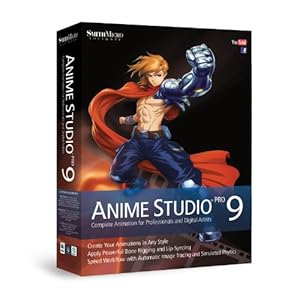
Software Review - Anime Studio Pro 9

About the Product
Anime Studio Pro is perfect for professionals looking for a more efficient alternative to tedious frame-by-frame animation. The intuitive and affordable feature set offers a solution to traditional animation tasks. With an intuitive interface, a visual content library, and powerful features such as a bone rigging system, bitmap to vector conversion, integrated lip-syncing, 3-D modeling, physics, motion tracking, a character wizard, and more, Anime Studio Pro delivers advanced animation tools to speed up your workflow.


Bone Rigging 
Bone-rigging is a fast and efficient alternative to tedious frame-by-frame animation. Add a skeleton to any image by pointing and clicking to create bones that overlay the parts of your image, to control arms or legs for example. Then bring your image to life by moving any individual bone point to create the pose or motion you want, while keeping your project organized with the sequencer and timeline.

Revolutionary Smart Bones 
New in Anime Studio Pro 9, Smart Bones is an incredible feature that reduces or entirely removes distortion around your character's joints - specifically around knees and elbows. Group a set of points and use the Smart Bones control levers to create 3-D looking motion that you can easily repeat with the turn of a dial. For example, with Smart Bones you can control facial expressions and head-turning on a character with simple lever movements instead of having to touch each bone point. Smart Bones makes it easier to repeat complex movements and control your rigged elements.


Import Photoshop Files
Import your existing Photoshop files with all layers intact. Changes made in Photoshop instantly appear in the imported file in Anime Studio, allowing you to continually refine your Photoshop document. Many Photoshop features are supported in the imported PSD files, including blending modes, layer opacity, smart objects and smart filters. Groups are also supported and can be set up in Photoshop to automatically get imported into Anime Studio as switch layers for quick animating.

Real Time Media Connection 
The new Real Time Media Connection in Anime Studio Pro automatically updates image, movie, and audio files in your imported Anime Studio files when edited in an external program. This is a great workflow enhancement for individuals and production studios alike.

Editable Motion Graphs 
The single most requested feature that our users have been asking for is finally here. In Motion Graphs, the animation channels of the current layer are displayed graphically, rather than just as points along a line. Now get maximum control of your animation with Editable Motion Graphs. You can now edit motion curves with Bezier handles directly instead of relying on tweening, ease-in and ease-out.


Character Wizard 
Hundreds of new characters. Quickly design ready-to-animate characters using the built-in Character Wizard. Select preset, dial-in body proportions, and choose from dozens of predesigned 2-D components such as hands, feet, mouths, eyes, noses, and heads.

Audio Recording, Sound Effects, and Automatic Lip Syncing 
Add a soundtrack and lip-syncing to your animations. Record your own sound clips inside Anime Studio and adjust the pitch from high to low to fit your animated characters or import existing audio files into your project. Anime Studio will automatically insert them into your timeline, where you can adjust the timing and length to fit your scene. Using the Sequencer, freely move multiple sounds along the timeline to adjust syncing. Anime Studio supports WAV, AIFF, MP3, and M4A formats. Built-in lip-syncing in Anime Studio can help you save time. Simply load a sound file, and from the layer options of the layer you wish to sync, select the sound file from a pull-down menu. Anime Studio does the rest. Easily synchronize characters' lip and mouth movements to a sound file through a simple and intuitive process.


Automatic Image Tracing: Use Your Own Artwork 
Import your scanned drawings or existing images and photos then convert them to vector drawings with the click of a button. Trace as black and white or edges only and adjust a number of settings to style your vector image. Color your vector art, resize without loss in image quality, and animate it using bones.

Layer Comps 
Export multiple layers individually with one click. Layer comps are useful if you want to export only selected items in your scene so that you can composite them externally in third party software. For example, you can create a layer comp that relates to background elements, another that relates to characters, and another that relates to foreground elements or titles. Turn groups on and off until you get elements that logically belong together. Then create a new layer comp from that group. At render time, you can then choose to render specific layer comps as a movie file.


Global Rendering Styles 
Global Rendering Styles allow you to quickly change the overall design of your animations. Choose from various presets such as sketchy, cutout, crayon, and more to easily transform the look and feel of your entire animation. Create your own custom combinations by mixing and matching different styles for fills and outlines.

Flexible Import and HD Export Capabilities 
Anime Studio can import several kinds of other media files into an animation project. Import QuickTime, AVI or MPEG-4 video, or even 3-D scenes from Poser. Image Based Modeling allows you to create 3-D objects from 2-D vector layers, and the included Content Library contains hundreds of ready-to-use characters, props, and more.

Follow Path Tool 
The Follow Path tool allows you to have any character or object follow and bend itself along a pre-drawn path (like a snake), making tons of animation posibilities easy.

Video/Motion Tracking 
Add an object to an imported video that will follow the position and rotation of something, like a person's thumb. Just add tracking points that identify the item on the screen you want to follow.

Wacom Multi-Touch Support
Wacom Multi-Touch support allows you to use Wacom's new generation touch tablets with Anime Studio. Easily edit characters, scale, rotate, pan, zoom in and out of the canvas with simple finger gestures. Available on Bamboo, Intuos, and Cintiq touch-based tablets.

Patch Layers 
Patch Layers were designed for constructing characters and are similar to masks. They allow you to hide certain parts of a layer. Create each body part separately and then hide the overlapping lines. Adjust the size of the patch to perfectly blend the layers to get the desired style.

My Take on the Product 
This was an amazing piece of software that will take you to the next level in regards to creating anime. I did also try the Debut version of the software and though it had some of the functionality of the Pro version, this version by far was superior. The program, though a bit complex to learn at the front end, truly takes off once you have mastered the controls, and makes the task of animation much easier than the frame by frame animation of the past.

One of the things that I enjoyed the most on this program was the automatic figure image tracing functionality.  In just one click you have the program doing all of the work to develop the vector drawing that you need to move forward.

As I said the manual for this is a bit cumbersome, but there are definite parts that I found to be more helpful than others. All-in-all though it does take some time to master the controls and the skills needed to be successful in this type of program, and I found this out the hard way as I slogged through my initial learning within the program.

If you are like me and have a passion for drawing comics, this is a program that will definitely blow you away!

All opinions expressed in this review are my own and not influenced in any way by the company.  Any product claim, statistic, quote or other representation about a product or service should be verified with the manufacturer or provider. Please refer to this site's Disclaimer  for more information. I have been compensated or given a product free of charge, but that does not impact my views or opinions.

----------------------------------------
New to the Divadom or to Dad of Divas Reviews?
Please Subscribe to my RSS Feed! Subscribe in a reader
Questions? Drop me a line at dadofdivas@gmail.com
Friday, October 26, 2012

Software Review - Nancy Drew: The Deadly Device

About the Game
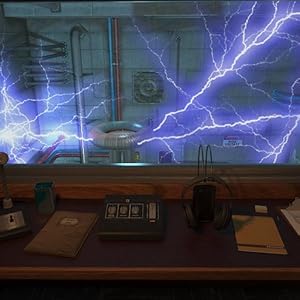
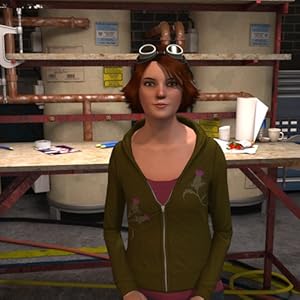
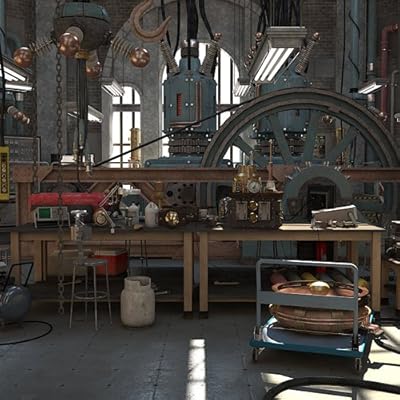
Fear lingers in a remote laboratory after a physicist's suspicious demise. A police investigation resulted in nothing except a case as cold as the secretive personalities and steel walls that enshroud a top-secret Tesla-inspired facility. That's why the lab owner asked you, as Detective Nancy Drew, to expose the terrifying truth about The Deadly Device!

Key Features:
  • Uncover Obscure Tesla Insights!Discover true facts about this unsung and eccentric physicist and inventor
  • Unlock Corporate Secrets!Interrogate coworkers as you examine multiple motives
  • Solve Ingenious Puzzles!Tinker with strange mechanical wonders created by Tesla
  • Play Addicting Arcade Games!Get a charge out of the new Aggregation puzzle game
  • Sneak into Off-Limits Areas!Talk, walk and unlock your way into secret places
  • Sleuth in the Day and at Night!Snoop or get the scoop from employees on day and night shifts
  • Choose Difficulty Levels!Play at Amateur or Master Sleuth level and erase mistakes without starting over

My Take on the Game

I have had the chance to try quite a view of the most recent Nancy Drew games by Her Interactive, and to me it seems that each is getting better and better than the past versions that have been released. This game was no exception! The story was strong, the animation top-notch, and the overall gameplay was superb.

I even offered my daughter the opportunity to try the game. She is a huge fan of Nancy Drew and loves finding out how she swallows each of her mysteries and to be honest she is very good at identifying the clothes that need to the mystery being so. I was so great about this game was at all the things that I mentioned above but also in the digestive reasoning the game requires of you. This is the type of game that I like my daughter to play because it is not simply one where you sit and brainlessly play, but instead, you truly have to think to be able to move further in the game itself.

All in all this is a great game that I would highly recommend to all, not just Nancy Drew fans, but all gamers young and old alike.

All opinions expressed in this review are my own and not influenced in any way by the company.  Any product claim, statistic, quote or other representation about a product or service should be verified with the manufacturer or provider. Please refer to this site's Disclaimer  for more information. I have been compensated or given a product free of charge, but that does not impact my views or opinions.

----------------------------------------
New to the Divadom or to Dad of Divas Reviews?
Please Subscribe to my RSS Feed! Subscribe in a reader
Questions? Drop me a line at dadofdivas@gmail.com

Thursday, October 25, 2012

Software Review - Manga Studio EX 4

About the Software
Manga Studio EX 4.0 delivers powerful, cutting edge features for Manga and Comic artists alike. Manga Studio EX 4.0 offers thousands of screen tones, professional coloring tools, built in 2DLT and 3DLT rendering capabilities, advanced vector tools and image filters. Manga Studio EX is the leading comic software worldwide, making it the ideal tool for professional Comic and Manga artists.

  • Choose from over 3,000 screen tones or create your own.
  • Resize with no loss in quality by converting your bitmap drawings to resolution-independent vector images.
  • Export to a wide variety of formats such as BMP, JPEG, PNG, PSD, TGA, EPS (monochrome only), TIFF, PDF and PICT (Mac only).
  • Draw naturally with a pen tablet and recreate the sensation of drawing on paper offering an incredibly natural drawing experience.
  • Simplify your layout and design process with easy to use features such as a variety of built-in rulers that save you time.
  • Color artwork using the integrated tool set enabling you to mix and blend for custom color work.
  • Convert 2D images to line and tone data by using the 2DLT Rendering function.
  • Import 3D objects and easily transform them into tone and line drawings by using the 3DLT Rendering function.
  • Add speed line and focus line effects in seconds to express motion or moods.
  • Work with precision using unlimited layers.


Select from a suite of advanced filters to quickly apply distortions and special effects to your artwork.
New and Updated features Manga Studio EX 4.0 allows you to create professional, ready to publish manga and comics.

NEW! Professional Color Set
Choose from literally millions of colors and create your own color sets. Includes dodge, burn and color blend tools.

UPDATED! Additional Word Balloons
Add word balloons with ease by dragging and dropping any of almost one hundred preset editable word balloons. Freely adjust the font, size, style and spacing of the text and add a curved or straight tail.

NEW! Vector Toolkit
Speed up production using the built-in vector tools such as "Show Center Line" which makes spotting trouble areas in need of smoothing, a breeze.

UPDATED! Additional 3D Objects 
Manga Studio EX comes with over 550 built-in 3D Objects. Quickly, position, rotate and adjust them on your page. Convert them to line and tone data and use them as backgrounds and props for your drawings.

NEW! Professional Filter Set 
Manga Studio EX now offers a suite of advanced creative filters. Quickly distort images, adjust hue and saturation, or add rain and sparkle effects to your artwork.

UPDATED! More export formats
In addition to the existing BMP, JPEG, PNG, PSD and TGA formats, Manga Studio EX 4.0 now offers the ability to export your artwork as TIFF, EPS (monochrome only), PDF and PICT (Mac only) formats.

NEW! Story Editor
Enter and edit the text for your entire story and distribute across pages using the Story Editor in Manga Studio EX.

NEW! Advanced Text Input
Manga Studio EX now allows you to enter text directly on your page using a standard text tool. You can also quickly add special characters and with support for many characters such as Katakana and Hiragana, Manga Studio EX is better than ever!

NEW! Mesh Transformation
Use the Mesh Transform tool to modify scre
en tones to better showcase clothing textures by giving them a wrapping appearance. NEW! Special Rulers Choose from a variety of rulers, including symmetry rulers, radial line rulers and concentric circle rulers that speed up production.

UPDATED! Extra Pattern Brushes
Choose from 80+ customizable pattern brushes. Adjust the size, color and angle quickly using the sliders to create an almost unlimited number of unique effects.

Note: Register your product within 30 days of purchase and receive the Manga Studio EX Content pack valued at $39.99 for free. This package includes 20 3D models, over 100 background templates and over 100 Power templates. Information regarding registration and how to redeem your content pack are included with your purchase.

My Take on the Software
I tried Manga studio Debut and found this to be very user-friendly and quite robust for a novice like me. This version takes the Debut to a whole new level. I will state that because I am not an expert, nor a graphic designer, it took me a little while to get the hang of this program. Yet, once I did spent time with the program I started to get the hang of it, and using Debut first also assisted me in better understanding how programs like this would work.

I did find that the manual was a bit hard to follow, and for me it was a bit easier just diving in and trying, failing, trying again, and succeeding. the software has many more features than Debut, which definitely makes it a more robust product.I would have to say that if you are truly into manga art and want to take your art next level and this is the software that you want to use to do it. Though the price tag is a bit higher than you will find for Debut, it is well worth the price for what you get in return.

One final thing that I will add is that I loved the brushes and tools that this provided the user has a truly made the imaging much more depth and richness to the overall product that you produce in the end.

This was a powerful program that I would highly recommend to any current artist or aspiring artist has this will take your art to the next level.

All opinions expressed in this review are my own and not influenced in any way by the company.  Any product claim, statistic, quote or other representation about a product or service should be verified with the manufacturer or provider. Please refer to this site's Disclaimer  for more information. I have been compensated or given a product free of charge, but that does not impact my views or opinions.

----------------------------------------
New to the Divadom or to Dad of Divas Reviews?
Please Subscribe to my RSS Feed! Subscribe in a reader
Questions? Drop me a line at dadofdivas@gmail.com
Wednesday, October 24, 2012

Software Review - Manga Studio Debut 4

About the Software
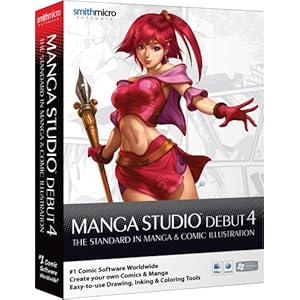
Manga Studio Debut 4.0 is your all-in-one solution for stunning, ready-to-publish manga and comics. Invigorate your artwork using color, express motion using speed lines, apply dimension with screen tones and add dialog through built-in word balloons. Manga Studio helps you create professional manga and comics from start to finish!

Complete artistic control
Sketch original art with a mouse or tablet, scan in existing art, or import artwork or graphics to get started. It's easy with Manga Studio Debut!

Design with attention to detail
Choose from over 2,300 professional-grade screen tones to add dimension, depth and character to your art.

Invigorate your drawings
Easily color and fill your manga or comic using the integrated color set, advanced shading tools, and pattern brushes.

Bring your Characters to Life
Pre-designed word balloons allow you to quickly add dialog to your creations.

Apply special effects
Add focus and speed line effects in seconds to express moods or motion.

Publish your work
Output professional quality manga for print or web in various file formats. Manga Studio Debut exports JPG, BMP, PSD, TGA*, PNG*, TIFF* and PICT* files.

*Mac-only publishing format.

Get fast results
Perform complicated tasks with a single mouse click. Double your productivity by reusing design elements in a flash!

New and Updated Features
Manga Studio Debut 4.0 provides a fun, straightforward way for you to start creating your own comics today.

New--Beginner's Assistant and dynamic help
With Manga Studio's built-in Beginner's Assistant interface, commonly used tool palettes are grouped together. Dynamic help offers instant access to information about tool palettes and menu options. Getting started has never been easier.

New--Color Palette
Color your artwork using the integrated color set. Choose from preset colors or create your own and add custom effects to your artwork.

New--Built-in Word balloons
Add word balloons with ease by dragging and dropping any of almost one hundred preset editable word balloons. Freely adjust the font, size, style and spacing of the text and add a curved or straight tail.

New--Advanced Text Input
Manga Studio Debut now allows you to enter text directly on your page using a standard text tool. You can also quickly add special characters and with support for many characters such as Katakana and Hiragana, Manga Studio Debut is better than ever!

Updated--More Screen Tones and Patterns
Choose from over 2,300 screen tones, a variety of special effects and comprehensive pen and brush tools, including over 80 customizable pattern brushes. Create and customize virtually unlimited combinations of patterns to create unique effects.

Updated--Additional preset page templates
Choose from over 160 built-in page templates for your page or story, or add your own customized pages and save them as templates.

Note: Register your product within 30 days of purchase and receive the Manga Studio Debut Content pack valued at $19.99 for free. This package includes over 100 background templates and over 100 Power templates. Information regarding registration and how to redeem your content pack are included with your purchase.


Product Features

  • Manga Studio Debut 4 is an all-in-one solution for stunning, ready-to-publish manga and comics
  • Sketch original art with a mouse or tablet, scan in existing art, or import artwork or graphics to get started
  • Invigorate your artwork using color, express motion using speed lines, apply dimension with screen tones and add dialog through built-in word balloons
  • Export professional quality manga from Manga Studio Debut 4 to various Mac and Windows file formats such as JPG, BMP, PSD, TGA, PNG, TIFF and PICT
  • Dynamic help offers instant access to information about tool palettes and menu options--getting started has never been easier


My Take on the Software
I just started using this, and I am definitely not an expert, but I have come to find that the software delivers exactly what it states that it will. I loved how user friendly the software was and I found that even though I am not an expert, you can use this software to make some amazing comics that you can take and share with any that will read them. I have to say that as a kid I would have loved to have had this, as I made many comics and they were always painstaking processes, starting with pencil, then to colored pencils and then to ink. This takes out a number of these steps and allows you to do all of these stages virtually which is just amazing. This is definitely the version that is made more for beginners which is where I wanted to be. At the same time, it is nice to know that with the EX version is available that has a number of greater bells and whistles that this does not have. All-in-all this was a great start to rekindling my cartooning interest.

All opinions expressed in this review are my own and not influenced in any way by the company.  Any product claim, statistic, quote or other representation about a product or service should be verified with the manufacturer or provider. Please refer to this site's Disclaimer  for more information. I have been compensated or given a product free of charge, but that does not impact my views or opinions.

----------------------------------------
New to the Divadom or to Dad of Divas Reviews?
Please Subscribe to my RSS Feed! Subscribe in a reader
Questions? Drop me a line at dadofdivas@gmail.com

Thursday, May 17, 2012

Poser 9 is a Creative Gift for Grads

About the Program 
Poser 9 is the world’s easiest way to create art and animation using 3D characters. Poser’s simple to learn tools and included characters let you focus on making art, whether you’re a professional artist or dabbling in graphics for the very first time. Poser includes over 3 gigabyte of ready-to-pose, fully textured, human and animal figures, basic accessories such as hair, clothing, pose sets, real world props and 3D scene elements. With Poser 9 you can start creating 3D character art and animation in minutes. With the Face Room, customize Poser characters using facial photographs. Add dynamic hair and clothing. Build a3D scene on Poser’s virtual stage with props, lights and cameras. Automatically generate walking or running animations and talking characters. Import motion capture files for even more animated realism. Animate lights and cameras, and then render scenes into photorealistic images and video for web, print, and film projects.

Along with 8 brand new 3D humans, Poser 9 includes an improved user interface to maximize your workspace while providing better workflow, a new search-enabled library so you can find, organize and use your content easier, a dependent parameter tool that lets you teach objects in the scene to interact with each other, cross body morph brushes to smoothly sculpt a figure across every body part, new photorealistic rendering features that more accurately reproduce light and shadows, and improved character rigging for even better character bending. To save time, Poser 9 has been performance optimized so you can pose your characters and render them faster on today’s multiple processor systems.

Poser 9 includes advanced Weight Map Rig support to generate better performing 3D characters that can be more easily posed with natural joints across the body. Hybrid Rigging supports both traditional Poser Sphere and Capsule zones to be used in combination. Poser 9 also supports both traditional grouped body part figures and single mesh figures. Weight Map Support for third party figures is delivered within our native poser file format, the PZ3, an open, well documented format that has been at the heart of the creative Poser community for over 15 years.

Poser 9’s improved Firefly render engine now supports Indirect Lighting with Irradiance Caching for Global Illumination effects and even supports rendering with Ambient Occlusion. New Shader nodes enable SubSurface Scattering for luminescent skin tones, FastScattering for bioluminescent effects and a Tri-specular Hair Shader for more appealing trans-mapped hair highlights. Poser’s physically correct light fall-off produces more photo-real final renderings. Even share final content via Facebook with our direct upload to your Poser gallery.

Other new features include multi-select drag and drop from Poser’s Library, Expanded Context Menus for better workflow, new camera modes to focus on your selected area, pressure sensitive tablet support in the Morph Brush, improved Content Management system with drag and drop, auto conforming, search, meta data support, zone strength display for figure rigging, parameter change indicator and the Recent Render palette. Whether you’re a serious artist, illustrator or animator or simply dream of playing with 3D characters, you’ll love getting creative with Poser 9! 

My Take on the Program 
I am not an artist in any sense of the word, but I like to pretend to be and have fun while doing this. This program allows the trained artist and the amateur to have the ability to learn to be a great or at least a good cartoonist. This software makes this process quite a bit easier and overall it was a lot of fun too.

The program took a little bit of time to get used to. Once you do get to the point where you have the use of controls you have so much control to make what you want when you want. The 3D aspects of the system took some getting used to ,but I found the interface to be one that is easy to follow and it does not detract or get in the way of you being able to create what you want.

I am definitely not an expert, and I don't know if I would even call myself a novice, but I will say that I feel that I am learning something new every day and it is through this learning that I am making some cool creations and I hope to continue this each day that I use it further.

Whether you are an artist already or you want to be one, this program will help you to achieve your dreams!


All opinions expressed in this review are my own and not influenced in any way by the company.  Any product claim, statistic, quote or other representation about a product or service should be verified with the manufacturer or provider. Please refer to this site's Disclaimer  for more information. I have been compensated or given a product free of charge, but that does not impact my views or opinions.

-------------------------------------------------------------------------
New to the Divadom or to Dad of Divas Reviews?
Please Subscribe to my RSS Feed! Subscribe in a reader
Questions?Drop me a line at dadofdivas@gmail.com